The ETS CER section provides an overview of all companies that are responsible under EU ETS according to Chapter B.2 of the EU MRV Monitoring Plans in the MRV Cockpit.
From this section, you can:
- Create and submit Company Emissions Reports (CERs)
- Make corrections if amendments are requested
- Download the CER Verification Report once the report has been accepted
Using the Companies Dashboard
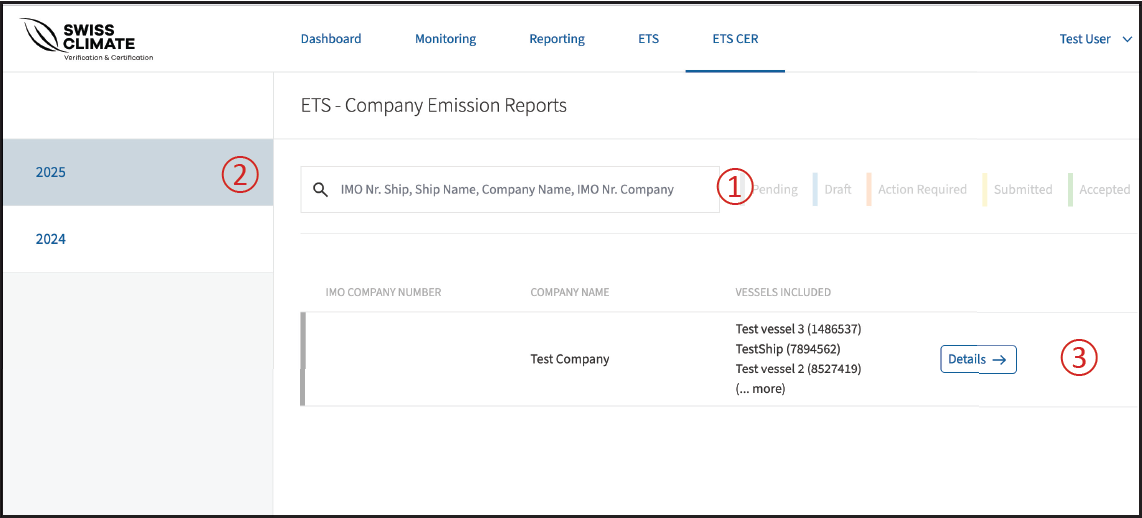
The dashboard provides an overview of all relevant companies and their ships.
🔴 ① Search for a company or ship
Use the search field to find a specific entry by entering the IMO number, ship name or company name.
🔴 ② Select the reporting year
Select the relevant year to display ships associated with that specific reporting period.
The colour indicates the current status of the ship.
🔴 ③ Open the company details
Click Details to access the ship list for the selected company.
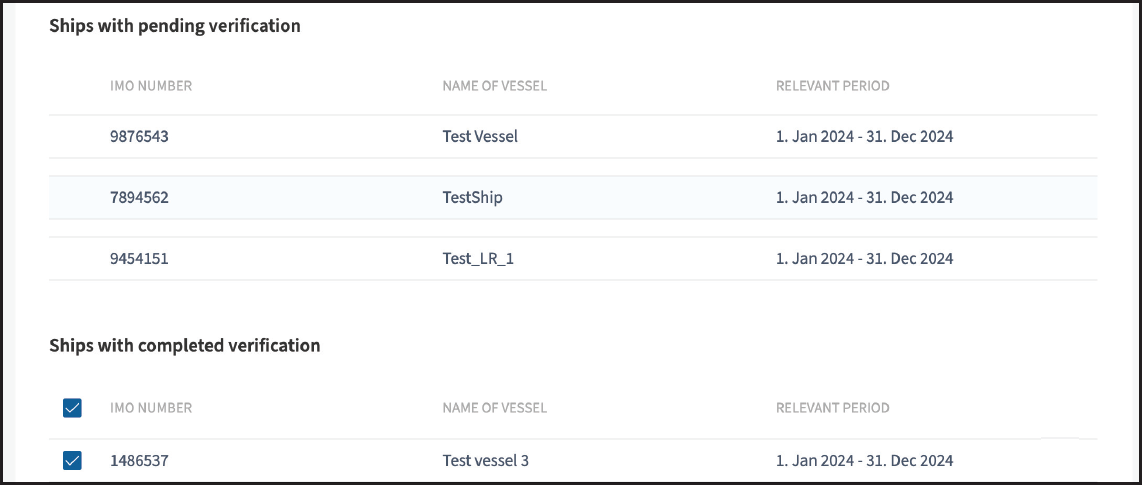
Under Details, the ships are separated into two lists:
- Ships with pending verification
- Ships with completed verification
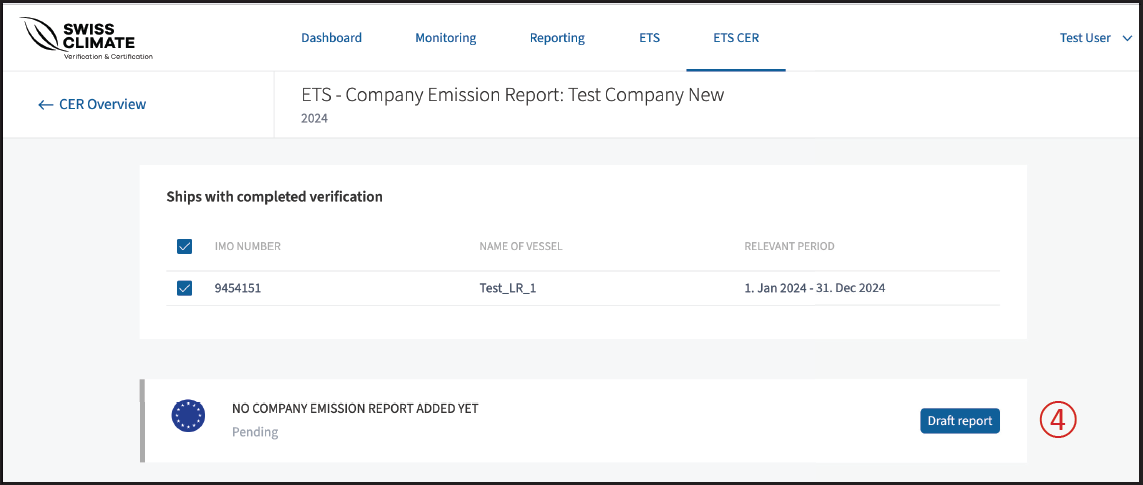
This allows you to quickly identify which ships still require verification before proceeding with the Company Emissions Report.
To begin with the report, click on draft report 🔴 ④.