If no VPMS is used, no API connection has been set up, or the required data for a ship is not available in your VPMS, you can manually upload reporting data to the MRV Cockpit for verification.
Reporting data can be imported using a CSV or XML file. The required CSV template will be provided by your verifier.
Upload reporting data
Go to the Reporting Dashboard and click Upload reports.
 Find this button on your reporting
dashboard.
On the upload page:
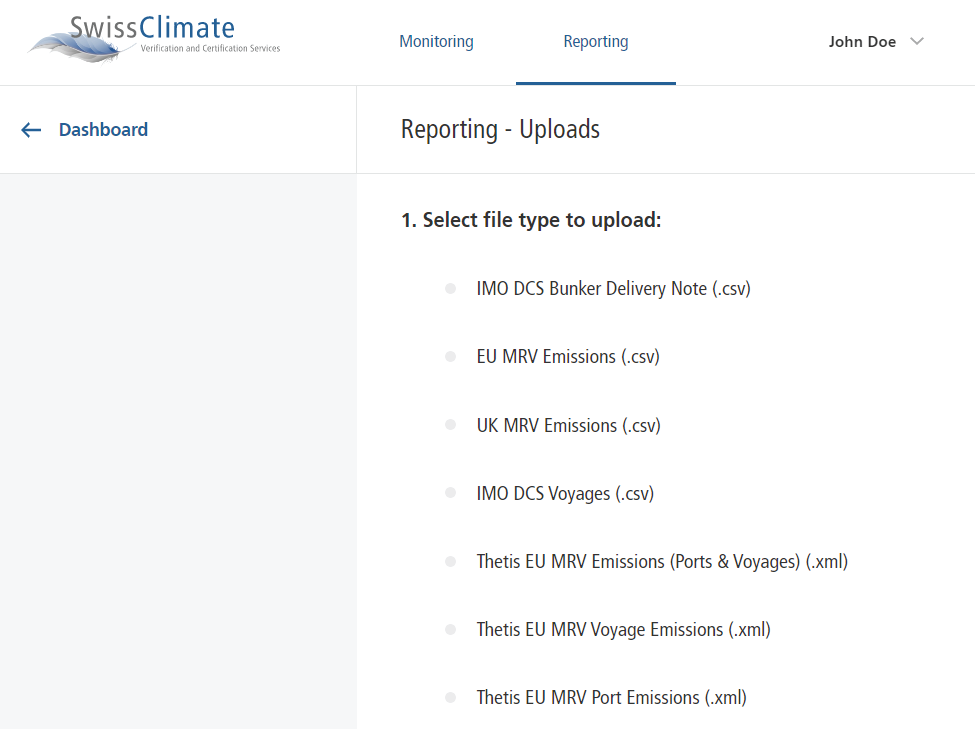
1. Select the file type to upload
Choose the applicable reporting format from the list.
2. Select the ship
Select the relevant ship from the drop-down menu. This is not required for THETIS formats.

3. Upload the document
Select and upload the completed reporting file.
The MRV Cockpit will indicate whether the upload was successful.
If there is a problem with the data format, the import will fail and the data causing the problem will be highlighted. This can occur, for example, if a date or time has been entered in an incorrect format.