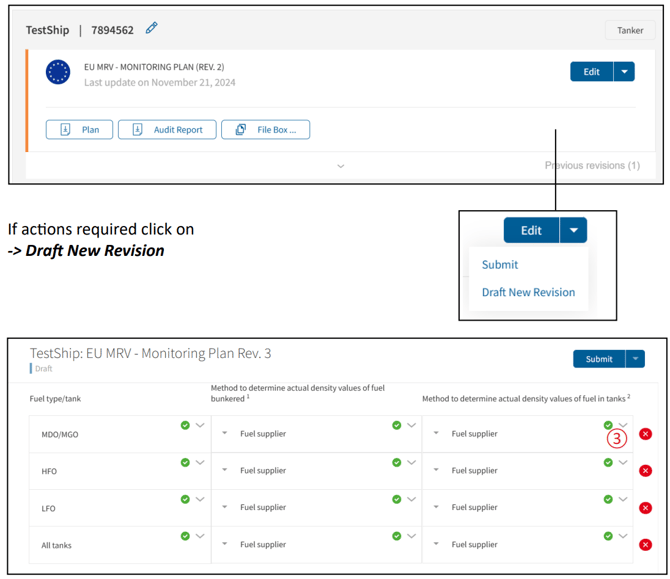
- Open the Monitoring Plan that requires an amendment.
- Click the dropdown next to Edit and select Draft New Revision.
- Review the new revision of the Monitoring Plan.
- Incorrect or missing information is highlighted in red.
- Click the arrow next to the highlighted field to expand it and view why the information was declined.
- Correct or complete the required information.
- Review all remaining flagged fields and make the necessary changes.
- Click Submit to send the revised Monitoring Plan for verification again