The Certified Emission Reduction (CER) report should only be created once the verification status for all relevant ships is completed.
Create a CER
Select the ships that should be included in the CER:
- Tick the checkbox next to an individual ship ⑤.
- Tick the checkbox next to IMO number ⑥ to select all ships at once.
- If required, untick individual ships before creating the CER.
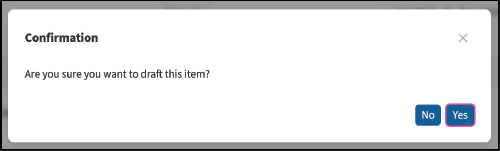
Then click Draft Report and confirm the action by selecting Yes.

Complete and submit the CER
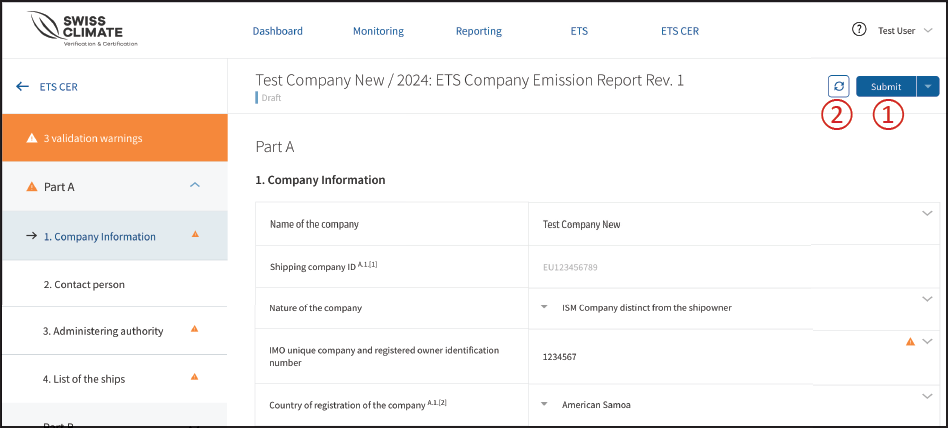
The CER input screen for the selected shipping company opens.
Go through each section step by step and:
- complete the required information,
- resolve any validation warnings, and
- make sure the Shipping Company ID is entered.
When the report is complete, click Submit ①.
Use the Refresh button ② to return to the fleet list if you need to add or remove ships from the CER.
❗Important: When using the Refresh function, data from the verification reports of the selected ships is reloaded and aggregated. Any manual changes made to the CER will be overwritten.
Once submitted, the CER status changes to Submitted and is displayed in yellow on the dashboard.

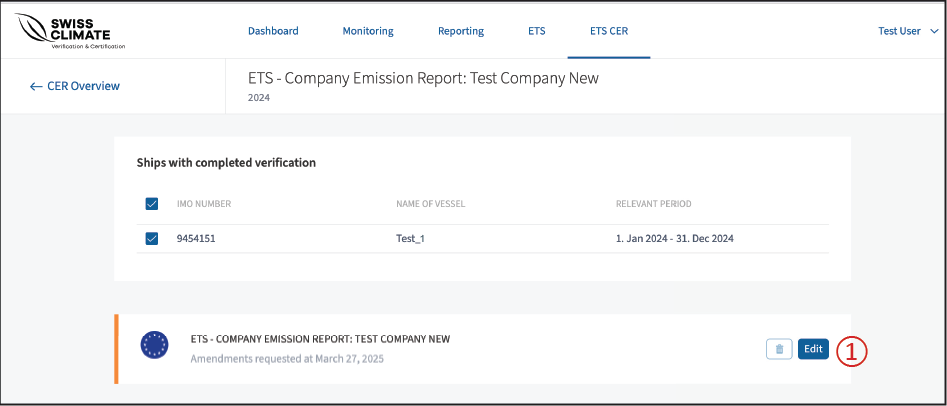
If your auditor requests an amendment, the status changes to Action Required and is displayed in orange.

Correct a CER when an amendment is required
Click Edit ① to open the CER and make the necessary corrections.
After completing the corrections, submit the report again.
Download the Verification Report or create a new revision
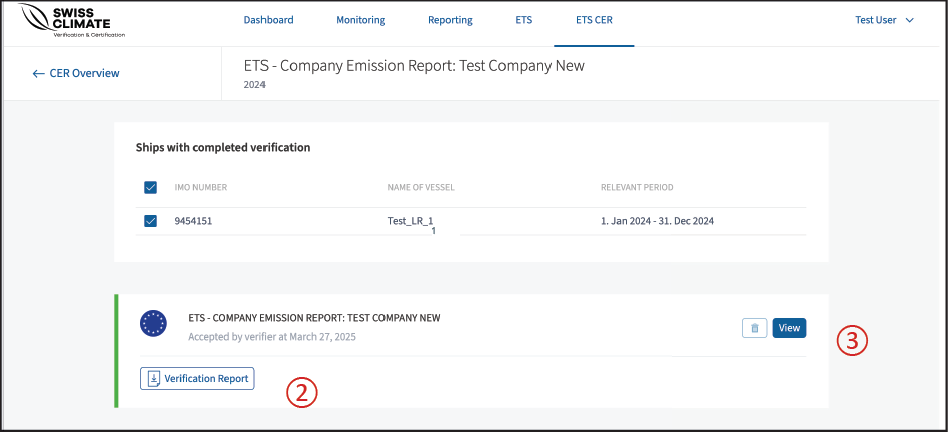
Once the CER has been accepted, its status changes to Accepted and is displayed in green on the dashboard.

Click Verification report ② to download the report.
Click View ③ to open the ETS Company Emissions Report. From there, you can also draft a new revision if required.