The Buy EUA function allows you to request the purchase of EU Allowances (EUAs) from a selection of third-party traders.
This feature is not compliance relevant. Swiss Climate does not require customers to use the trading function and does not promote any of the listed traders.
The MRV Cockpit supports the process from sending a Request for Quotation (RFQ) until the trade is accepted. The subsequent payment and transfer of EUAs take place outside the MRV Cockpit.
Request a quotation
To start the process:
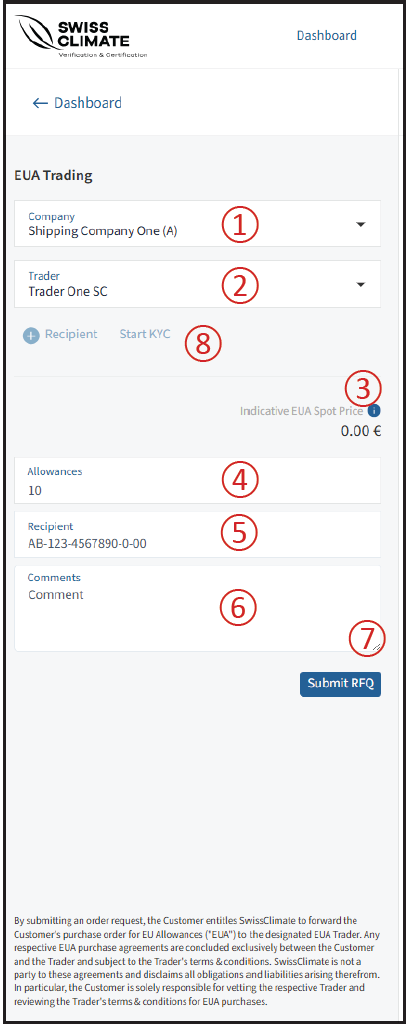
① Select your company
Choose the company for which you want to purchase EUAs.
② Select a trader
Select the trader from whom you want to request an offer.
③ Check the allowance price
The current allowance price is displayed in the upper-right corner.
④ Enter the amount
Specify the number of allowances you want to buy.
⑤ Enter the recipient account
Enter the relevant account number in the Recipient field.
⑥ Add a comment
You can optionally provide additional information or instructions.
⑦ Submit the RFQ
Click Submit RFQ to send your request.
⑧ Start KYC
If required, click Start KYC to initiate the Know Your Customer process.
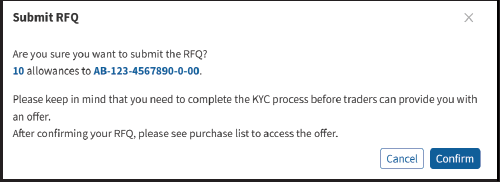
After clicking Submit RFQ, a warning appears. Click Confirm to proceed.
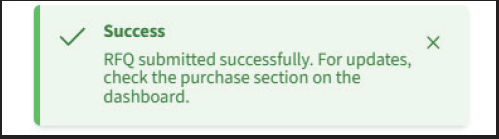 Once the request has been successfully sent to the trader, the RFQ appears on the dashboard with the status Waiting.

Review the trader's offer
The trader can either reject the RFQ or submit an offer.
Once an offer has been received, the RFQ status changes to Action Required.

Click the document icon to open the RFQ and view the offer details.
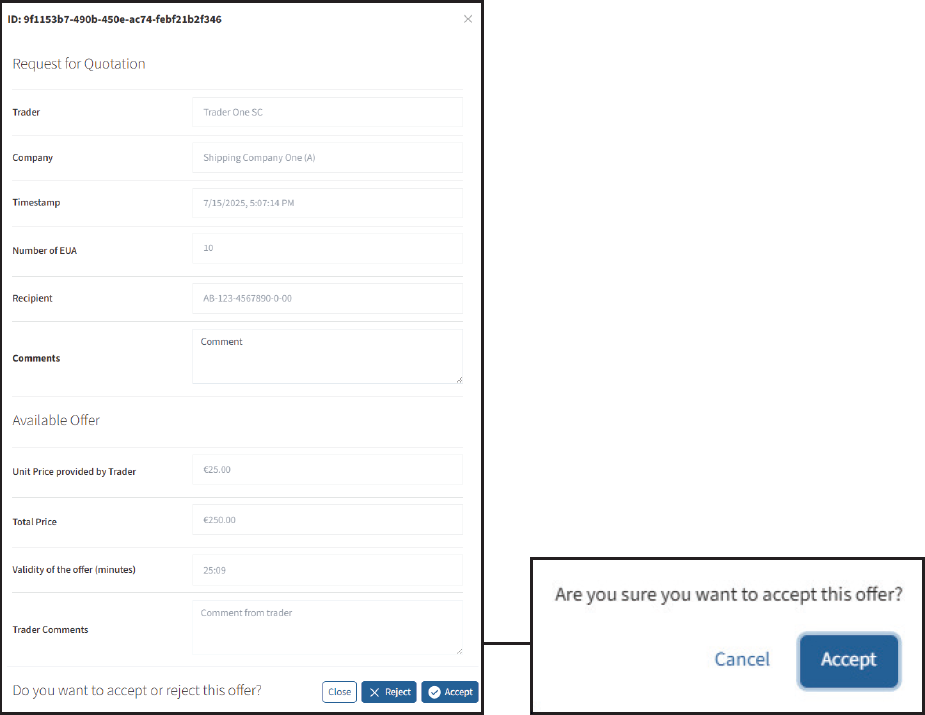
The timer indicates how long the offer remains valid. You must Accept or Decline the offer before the timer expires.
If no action is taken before expiry, the status changes to Canceled.
RFQs with the status Waiting can also be deleted using the trash bin icon. After confirming the deletion, their status changes to Canceled.

What happens after accepting an offer?
Once you have accepted an offer, the trader continues the process outside the MRV Cockpit.

The trader will:
- Invoice you for the agreed amount.
- Transfer the EUAs to the agreed Union Registry account after the invoice has been settled.
- Set the RFQ status to Completed once the process has been finalized.
❗Important: Completed trades cannot be deleted from the system.