The Allocation function helps you record how EU Allowances are distributed to your ships, including EUA transactions that occurred outside the MRV Cockpit, such as allowances obtained from charterers.
Access the allocation overview
Go to the ETS Dashboard and open the relevant ship in the Fleet Portfolio.
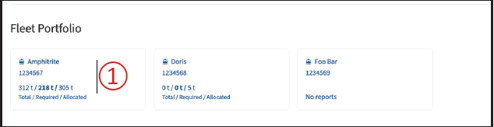 ① Select the ship
Click on the ship to open its emission reports and EUA allocation information.
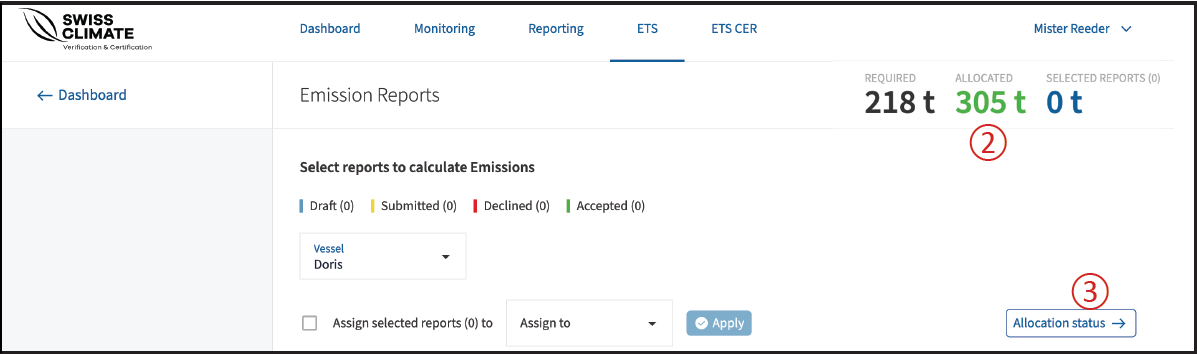
② Check allocated EUAs
The summary in the upper-right corner shows the number of EUAs that have already been allocated.
③ Open Allocation Status
Click Allocation Status to view a summary of all previous allocations for the selected ship.
View and manage previous allocations
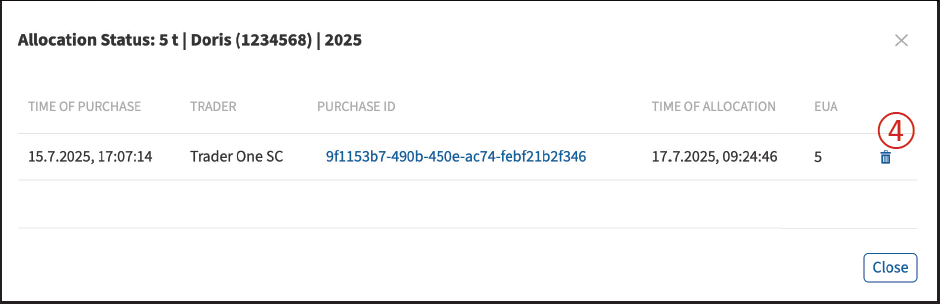
Under Allocation Status, click the Purchase ID of a transaction to open its details and access the allocation window.
④ Delete an allocation
Click the trash bin icon if you want to remove an existing allocation.
Allocate EUAs
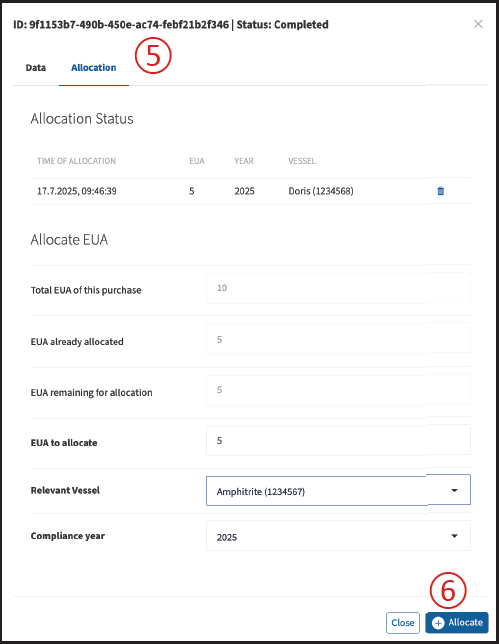
Open the relevant purchase and navigate to the Allocation tab.
⑤ Allocation overview
Here you can see:
- the total number of EUAs in the purchase,
- the number already allocated, and
- the remaining EUAs available for allocation.
In the editable fields, enter the number of EUAs you want to allocate and select the ship that should receive them.
EUAs can be distributed among your ships until the full amount has been allocated.
Select the relevant compliance year and click Allocate ⑥ to confirm.
Remove an allocation
All existing allocations are shown under Allocation Status.
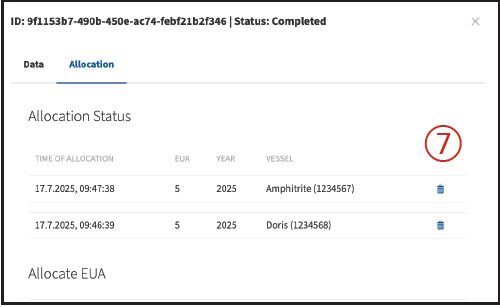
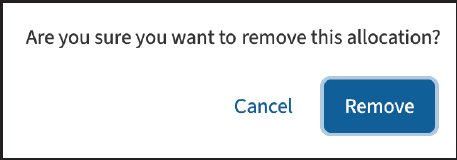
To undo an allocation, click the trash bin icon ⑦ and then click Remove in the confirmation window.
Once all EUAs have been successfully distributed, the allocation number on the ETS Dashboard is displayed in green ⑧.
