The Add Manual Purchases function allows you to record EUA transactions that occurred outside the MRV Cockpit, for example EUAs received from charterers.
Add a manual purchase
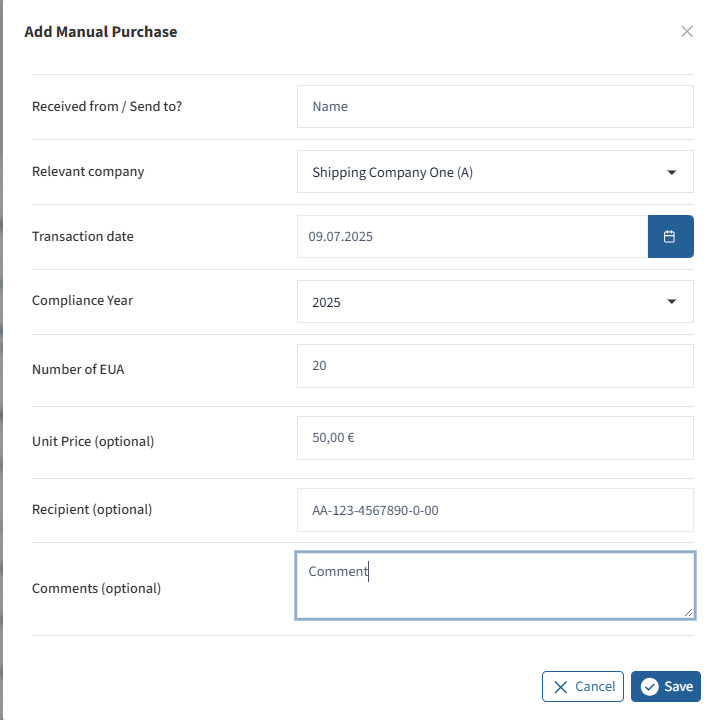
Click the plus icon in the Purchases section to add a manual purchase.
A new window opens where you can enter the details of the transaction. You can also add an optional comment for additional information or notes.
Once all required information has been entered, click Save.
The manually added purchase will then appear in the purchase list with the status Completed.
Edit or delete a manual purchase
You can edit a manual purchase at any time:
- Click the document icon to open the transaction.
- Update the information as required.
- Click Save to apply your changes.
To delete a manual purchase, click the trash bin icon on the right.
