The OVD Data Views under the GHG tab provide direct access to the raw data that is transmitted to verifiers via the OVD standard.
These views are divided into three main tables:
- OVD Events (LA table) – operational events and fuel consumption
& 3rd party API export - OVD Bunker Reports (BR table) – bunker delivery data
- OVD EDN Reports – electricity consumption from on-shore power supply (OPS)
All views reflect the exact structure of the OVD interface (API V2) and can also be exported as CSV files for further analysis or sharing.
1. 🧾OVD Events (LA Table)
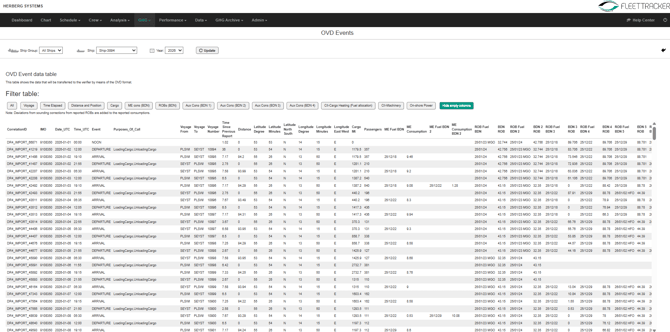
The OVD Events view displays all operational events that are reported and transmitted via the OVD format.
What it shows
- Event-based data (Departure, Arrival, Noon, etc.)
- Voyage details (from/to, distance, time)
- Position data (latitude/longitude)
- Fuel consumption per consumer:
- Main Engine (ME)
- Auxiliary Engines
- Boilers
- ROB (Remaining on Board) and BDN references
- Cargo and operational data
👉 This table corresponds to the “LA table” in the OVD standard.
Key features
- Filter by:
- Voyage
- Time elapsed
- Distance & position
- Fuel consumers (ME, AUX, Boiler)
- Hide/show columns for better readability
- Displays exact raw data sent to the verifier
👉 Use this for:
- Sharing with verifiers
- Internal analysis
- Troubleshooting discrepancies
1.1 📤📥Fleet Overview: .csv download & API Connectors
When selecting “Fleet overview” instead of a single ship, additional integration controls are displayed for admin users if enabled:
📥 Export (CSV)
- The Download link allows saving the data bundle in OVD format as .csv file
- Ensures consistency with verifier submissions
📤ORRA (Swiss Climate / SCORRA API)
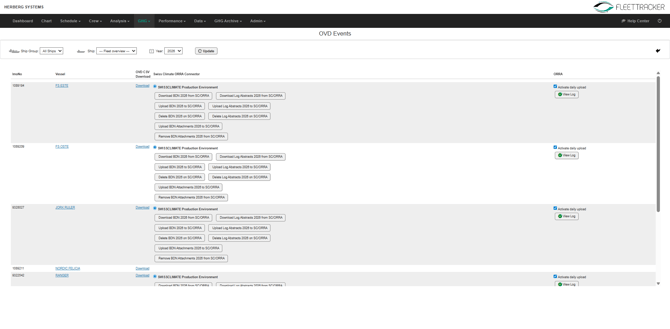
- Automatic upload possible (via cronjob)
- Manual actions available:
- Upload BDN / Log Abstracts
- Download data
- Delete uploads
- Attachments (e.g. BDN documents) can also be synced
- Status and logs can be reviewed
📤DNV Veracity API
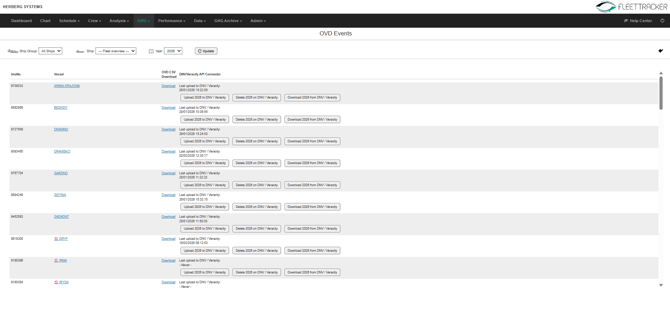
- Manual upload only
- Shows:
- Last upload timestamp
- Upload / Download / Delete options
⚠️ Important:
These connectors allow direct communication with verification platforms and should only be used by authorized/admin users.
2. 🛢️OVD Bunker Reports (BR Table)
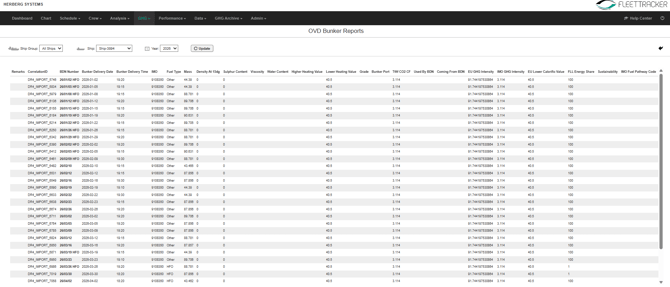
The OVD Bunker Reports view provides a structured overview of all bunker deliveries.
👉 This corresponds to the “BR table” in the OVD standard.
What it shows
- BDN (Bunker Delivery Note) details:
- BDN number
- Delivery date & time
- Fuel type
- Mass and density
- Fuel characteristics:
- Sulphur content
- Viscosity
- Water content
- Heating values (HHV / LHV)
- Emission-related data:
- CO₂ conversion factors
- EU GHG intensity
- Fuel pathway information
- Port of bunkering
3. ⚡OVD EDN Reports (Electricity Delivery Notes)
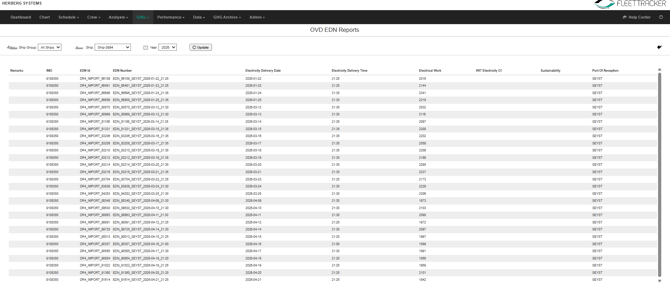
The OVD EDN Reports view shows all electricity consumption reported via On-Shore Power Supply (OPS) while in port.
What it shows
- EDN ID and reference number
- Electricity delivery date & time
- Amount of electrical work (kWh)
- Port of reception
- Sustainability-related fields
- Emission factors (where applicable)
Purpose
- Tracks shore power usage
- Supports EU ETS and FuelEU compliance
- Provides standardized reporting under OVD
🎯Important Notes & Best Practices
- These views display raw API data exactly as transmitted via the OVD interface
- Field names and structure are aligned with the OVD Interface Description (DNV)
- CSV exports match the transmitted dataset → no transformation
- Use these tables for:
- Verification checks
- Data validation
- Troubleshooting discrepancies
- Editing is not performed here – use Event-based Data or BDN modules instead